
The Making Of A Basic World Construction Set Landscape

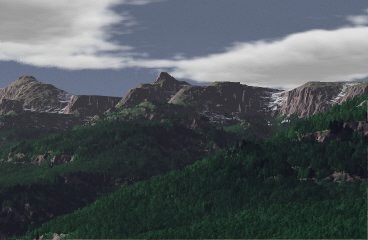
A Basic WCS Landscape is an image which demonstrates the realistic landscape image generation capabilities of World Construction Set (WCS). Such an image, while not art in itself, is both an enjoyable and interesting exercise, and has the potential to be a component of a more complex and artistic work.
This document discusses strategies for creating such images. WCS is a large and complex program with many capabilities - but using those capabilities effectively can be daunting due to the many parts of the WCS interface. This workshop will help to distill those complexities to a more manageable level.
Note: WCS runs on a number of platforms. This workshop references the Amiga version 2.04. There may be differences in the versions on other platforms, and in later or earlier Amiga versions.
Introduction
WCS is a program that differs both from the more familar ray tracers and image processing programs which are the standard tools of the computer artist, and even from the few other programs which are often called "landscape generators".
Let's have a look at the stages of WCS image development...
The Stages
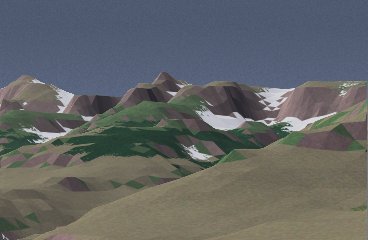
| Select one or more maps to use. Establish "ecosystems"
(such as trees, rock, tundra, etc) to be shown on the map based on altitude
or slope. Establish the desired location and altitude of the camera and the camera target. Establish the time of day, and whether or not the sun is present. |
 |
| Apply fractal displacement and fractal depth in the rendering phase to add realistic textures to the basic polygonal surface of the map. | 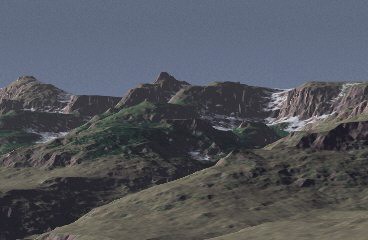 |
| Test the ecosystem display and alter tree mix, altitude, and colors as needed. | 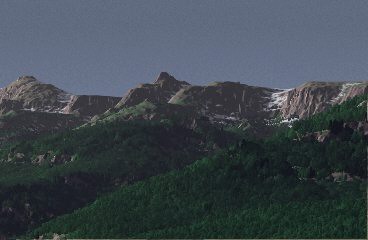 |
| Establish cloud waves; possibly add haze or fog (which were not used in this image). | |
Maps
WCS uses the Digital Elevation Map (or DEM, a US Geological Survey Standard) as the basis for landscape generation, though it can also import conventional bitmaps to be used as landscapes, or even allow you to create a landscape using WCS own landscape editor. For this image, a standard DEM which comes with WCS is the basis of the landscape shown. A DEM is basically similar to a bump map as used in ray tracing or solid modeling programs, but, as you can see, the bumps are much, much larger...
WCS allows you to alter the basic polygonal structure of the DEM with artificial detail based on fractals (self-similar geometric objects, like what you see on a head of cauliflower or a cumulus cloud). Unlike texture mapping in a ray tracing program, these textural details are not directly controllable by the artist; only the magnitude of the effect can be changed.
Getting Started
To start, you need a project. To create a project, you need a place to put it. You can use WCSProjects: on the Amiga, or you can use any other directory. Within that directory, create a directory which has the name of your project. For your generated images you can use WCSFrames:, or you can create an Image directory in your project directory.
For this project I used WCSProjects:Valley and WCSProjects:Valley/Image
Finding Your Way Around
Database
To get started, you need to create a number of items, and the first you need to create is the database. The database identifies the resources which you will use as the basis for your landscape - the DEM and any other maps you may use. These maps are shared, at least in the sense that they reside separately from your project. For this project, add object 40105.F from WCSProjects:Topos.object; of course, you can add others if you need them, but why?
Of course, you have to save the database and give it a name. You should call it by the name of your project, and store it in your project directory so that when the directory for the database (created with .object suffixed) is created, it will make some sense in context.
Parameters
Parameters affect the maps and their representation in the rendered image. The Motion parameter editor is actually the core of the modifications you make to your landscape environment, since it is from that editor that you control the positions of sun, moon, camera, target (called focus in WCS), and the ranges of haze and fog.